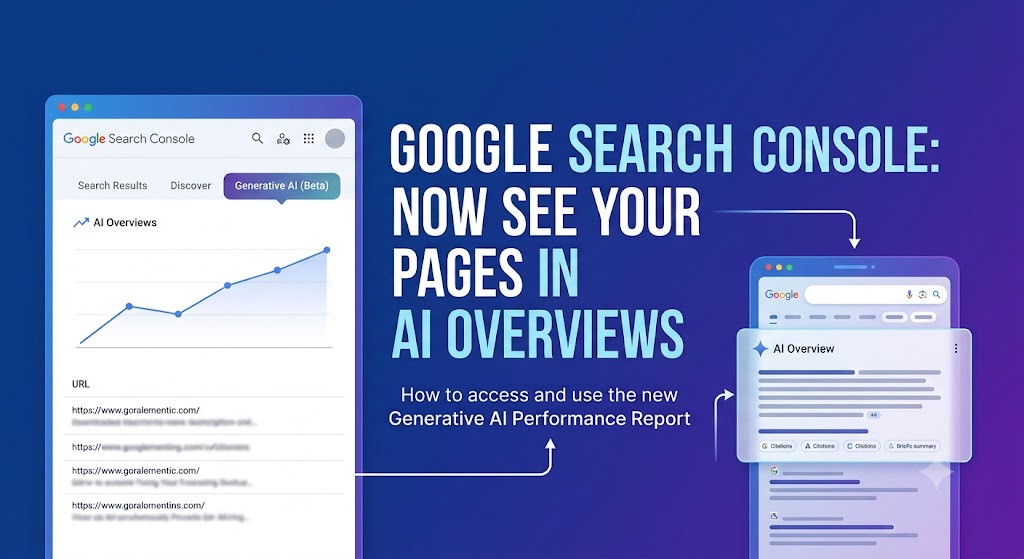
A new Search Console report finally shows which of your pages Google is pulling into its AI answers, here’s how to find it and actually use it.
For the last two years, AI Overviews, those AI-written answers at the very top of Google, have been quietly taking attention away from the normal search results below them. And business owners had no way of knowing whether their own website was being used in those answers, or completely ignored. You were flying blind.
That just changed. Google has rolled out a new report inside Google Search Console that shows exactly which of your pages are appearing in its AI answers. If you’ve ever wondered “is my business even showing up in AI search?”, you can finally get a real answer.
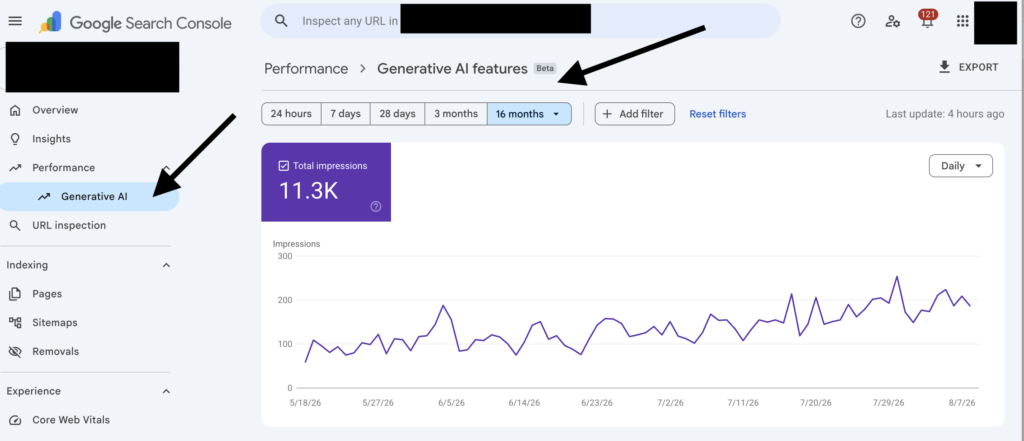
Quick answer: Google Search Console now has a “Generative AI” report under Performance. It shows which of your pages appear in AI Overviews and AI Mode (as impressions), and lets you slice that by country and device. It doesn’t yet show clicks or the exact keywords, but paired with your normal Search report, it tells you which pages Google trusts enough to put in its AI answers, and which don’t. Here’s how to read it and use it.
What is the new Generative AI report in Search Console?
Search Console is the free tool Google gives every website owner to see how they show up in search. It’s always shown you the normal stuff, which searches you appear for, how many people clicked, where you rank.
Now there’s a new section just for AI. On June 3, 2026, Google announced a dedicated Generative AI performance report that separates out your visibility inside Google’s AI features from the normal blue-link results. In plain terms: it shows how often your pages get pulled into the AI-written answer box at the top of Google.
It currently covers two AI features: AI Overviews (the AI answer that appears above the search results) and AI Mode (Google’s full conversational AI search). Both are bundled together into one number.
What the report shows you (and what it doesn’t, yet)
It’s important to be clear on this, because it’s easy to expect more than the report currently gives. Here’s the honest picture.
What it DOES show: Impressions, how often your pages appeared in AI Overviews and AI Mode. Which specific pages are getting pulled in (the most valuable part). And where those impressions come from, by country and device, over time.
What it does NOT show (yet): No clicks and no click-through rate. No exact keywords or search queries inside the AI report itself. And it doesn’t separate AI Overviews from AI Mode, they’re combined. Google has said more of this data is coming later.
So think of it as an early-warning radar: it tells you which of your pages Google considers good enough to feature in its AI answers. That’s a signal you’ve never had before, a direct read on which of your content Google actually trusts.
How to find the Generative AI report (step by step)
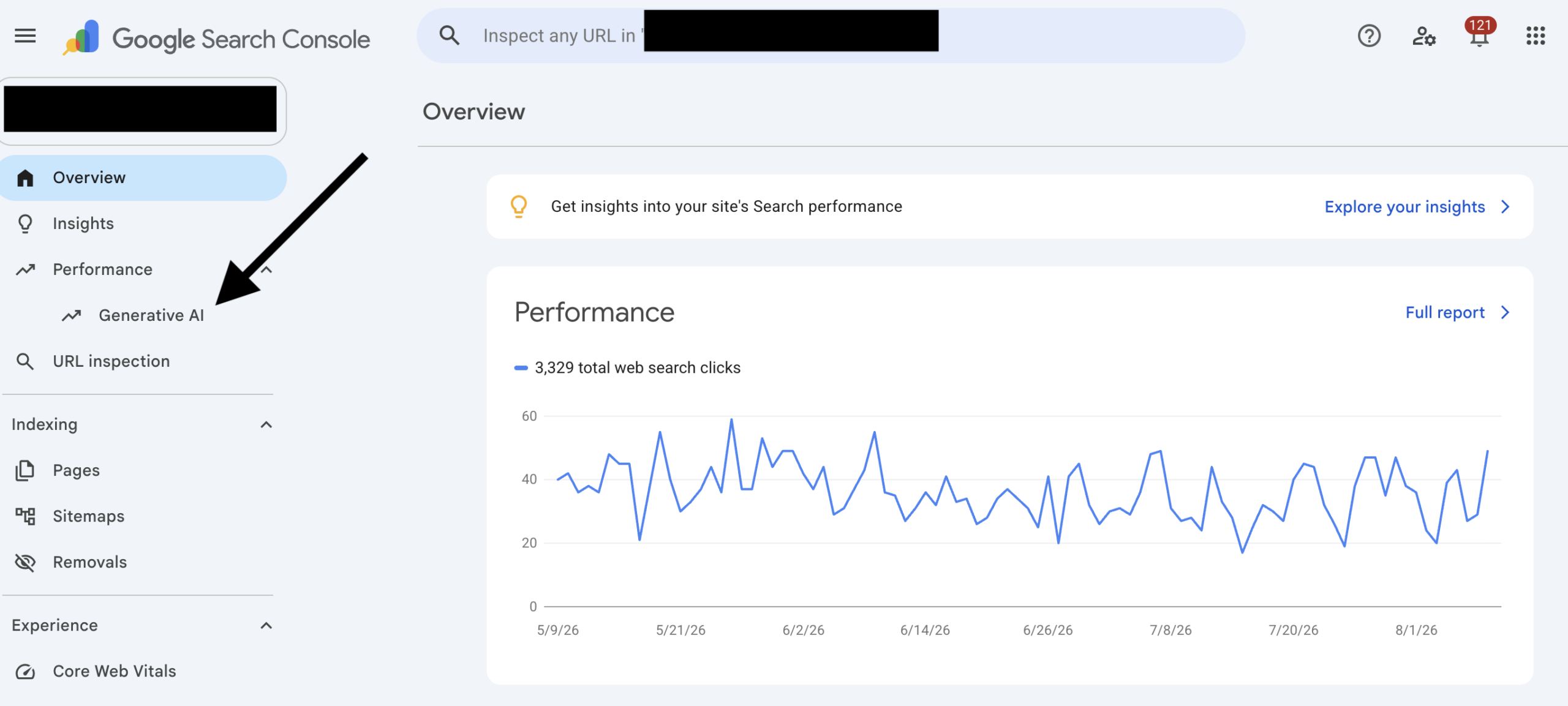
Step 1. Open Google Search Console and select your website. (If you’ve never set it up, that’s step zero, and honestly, every business with a website should have it. It’s free.)
Step 2. In the left-hand menu, click “Performance.”
Step 3. Look for the new “Generative AI” view sitting alongside the usual “Search results” report. Open it.
Step 4. You’ll see a chart of your AI impressions over time. Below it, click the “Pages” tab to see exactly which of your pages are showing up in AI answers, ranked from most to least.
Don’t see it? Don’t panic. Google says it’s rolling out to a subset of sites first, so not everyone has it yet. It can also be missing if your site simply hasn’t had enough AI impressions yet, or if your site has been set to be excluded from AI features. Give it time, and keep the rest of your SEO strong in the meantime.
How to actually use this data to grow (the part that matters)
Seeing the data is nice. Using it is where the growth comes from. Here’s what I’d do with it if it were your business.
1. Find the pages Google already trusts, and do more of that.
Your top pages in this report are the ones Google is confident enough to put in its AI answers. Look at what they have in common, are they how-to guides? Comparison pages? Straight answers to common questions? That’s your blueprint. Whatever those pages are doing, do more of it, because Google is literally showing you what it rewards for your business.
2. Spot the pages that should be there but aren’t.
Now flip it. Think of the pages that matter most to your revenue, your main service page, your key location page, and check whether they’re showing up in AI answers at all. If a page you care about is missing, that’s a gap worth fixing: it usually means the page isn’t clearly answering the questions customers actually ask, or Google doesn’t trust it enough yet. That’s where the opportunity is hiding.
3. Cross-reference with your normal Search report to find the keywords.
Because the AI report doesn’t show keywords, here’s the workaround: take a page that’s getting AI impressions, then open your regular Performance report and filter to that same page. Now you can see which searches that page ranks for in normal Google. Those are almost certainly the same topics triggering the AI answers, so that’s your keyword insight, reverse-engineered. It’s a bit of manual work, but it’s the closest thing to “which keywords am I ranking for in AI” you can get today.
4. Check what kind of content is winning, and write for it.
Once you know which pages get pulled into AI answers, go and look at those AI answers yourself. Search the topic, read what the AI Overview says, and notice the shape of it, short direct answers, clear steps, definitions, comparison tables. That’s the format Google’s AI likes for your topic. Structure your future content the same way, answer the question clearly and early on the page, and you make it easy for Google to lift your content into the answer.
5. Track it over time, this is a trend, not a snapshot.
Check the report every week or two. If your AI impressions are climbing, the work you’re doing is landing. If a page suddenly drops out of AI answers, that’s an early warning to go and refresh it. Watching the direction over time is far more useful than any single day’s number.
Why this matters for your business (not just your SEO)
Here’s the bigger picture. More and more of your customers are getting their answer straight from the AI at the top of Google, and never scrolling down to the normal results at all. If your business is inside that AI answer, you’re the one they see and trust. If you’re not, you’re invisible for that search, no matter how good your website is.
Being cited in AI answers is quickly becoming its own advantage, the businesses that show up there are being handed to customers as “the answer,” while everyone else fights over the shrinking space below. This report is the first time you can actually see which side of that line you’re on.
This connects to a bigger shift in how people find you
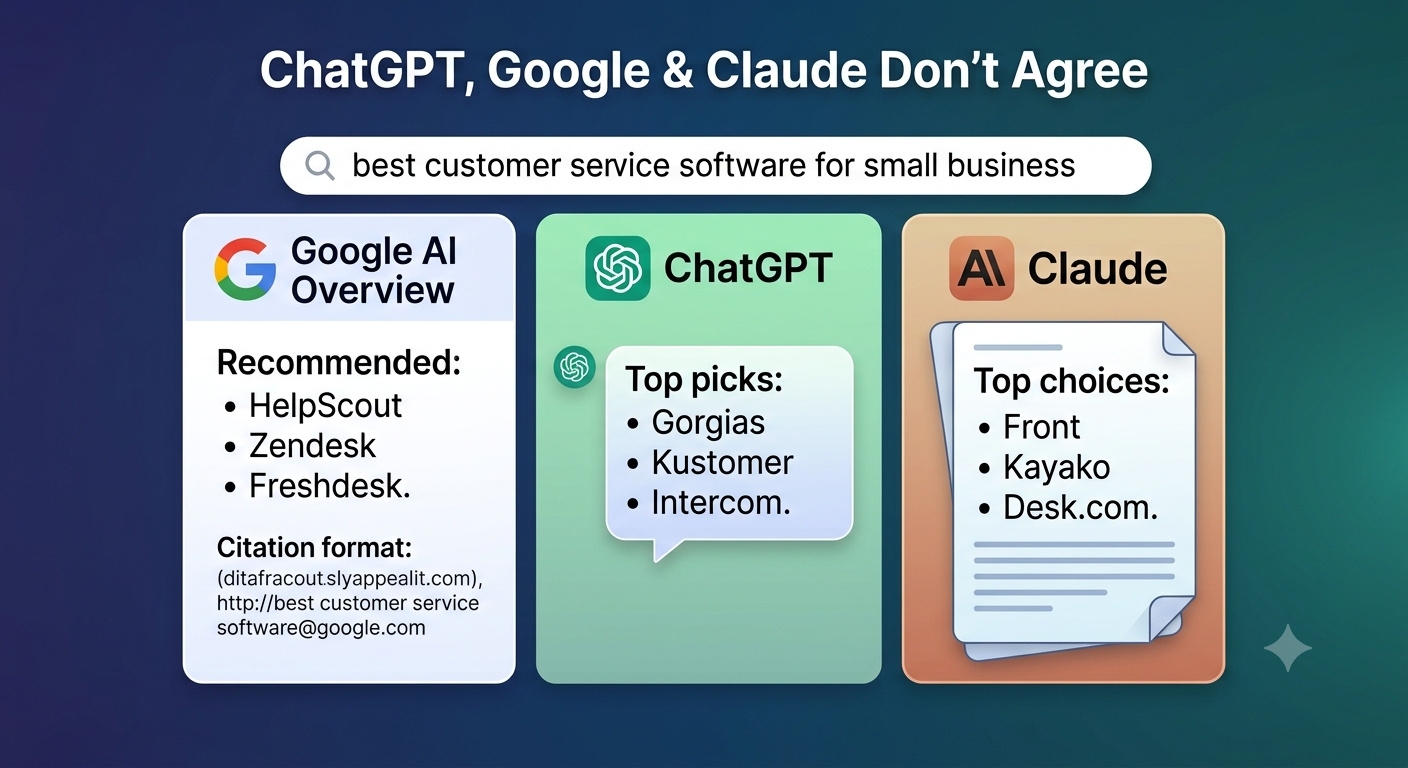
Showing up in Google’s AI Overview is only part of the story. As I covered in ChatGPT, Google and Claude Don’t Agree, each AI tool pulls from different sources, so being in Google’s AI answer doesn’t mean you’re in ChatGPT’s or Claude’s. And if you’re wondering how businesses get into these AI answers in the first place, this post on using AI for SEO the right way walks through the groundwork that makes it happen.
Want help getting your business into AI answers?
Reading the report is one thing. Turning it into more customers is another. If you’d like a hand working out which of your pages are showing up in AI search, which ones should be, and how to fix the gap, that’s exactly what I do. Book a free 30-minute call and I’ll take a look at where your business stands in AI search, in plain language, no pressure.
Frequently asked questions