Most people treat a top-performing page as good news. It is, until you look at what percentage of the whole site it represents.
We’ve run into the same situation with two different clients recently, in completely unrelated industries. Both had one page carrying almost the entire business. Neither of them knew it until someone went looking.
This post is about how that happens, how to spot it early, and what to actually do once you’ve spotted it.
What the problem looks like
Here is the pattern, in both cases.
The first was a local service business. When the site came to us, we started with a baseline audit: Search Console, a full crawl, index coverage. Two things surfaced straight away.
First, a single blog post was responsible for the overwhelming majority of the site’s organic traffic. Everything else on the site, including the service pages, was barely registering by comparison.
Second, the blog’s URL structure had been changed at some point from a dated permalink format to clean slugs, and the 301 redirects were never put in place. Every old blog URL was returning a 404, including the one carrying most of the traffic.
Those two facts together explained the whole picture. Traffic had fallen off a cliff over the preceding months and nobody had been able to say why. It wasn’t a penalty and it wasn’t an algorithm update. The homepage and service pages were flat or slightly up the entire time. One URL broke, and because that URL was the traffic, the site’s numbers went with it.
We mapped every broken URL to its live equivalent and put the redirects in. But fixing the redirect only gets a site back to where it was, which in this case was still a site where one page carries everything. The more interesting work is what you do next, and that’s the rest of this post.
The second was a subscription research publisher. Different industry, same shape. One page accounts for roughly half of all organic traffic and ranks for thousands of keywords on its own. The next biggest page on the site is a fraction of that. Nothing is broken here. But that’s the point. Nothing was broken at the other site either, until it was.
That’s the shape of the problem. It doesn’t look like a problem while it’s working.
Why concentration is the actual risk, not the traffic
When one page carries most of your traffic, you don’t have an SEO strategy. You have a single point of failure that happens to be performing.
The page can go away for reasons that have nothing to do with how good it is:
- A technical change. A redesign, a CMS migration, a permalink structure change, a plugin update. One missing redirect and the page is gone from the index within weeks.
- A core update. Google re-evaluates the topic, a bigger site gets promoted above you, and you drop several positions. On a page carrying most of your traffic, a few positions is most of your business.
- An AI Overview or SERP feature. The answer gets pulled into the results page and the click never happens. The ranking stays. The traffic doesn’t.
- The topic simply cools off. Search interest for a query drifts down over a couple of years. Nobody notices because nobody is watching that one page’s trend line.
- A competitor out-publishes you. They build fifteen pages on the topic. You have one.
Any one of these is survivable when the page is a small slice of your traffic. When it’s the majority, it stops being an SEO problem and becomes a business problem.
And here’s the part that makes it worse. The drop is usually slow. A page doesn’t fall from the top of page one to page three overnight. It slides over several months. If you only look at your total traffic number, you’ll see a gentle decline and tell yourself it’s seasonal. By the time it’s obvious, you’ve lost the rankings, and recovery takes far longer than the decline did.
How to check whether this applies to you
This takes about ten minutes and you should do it monthly.
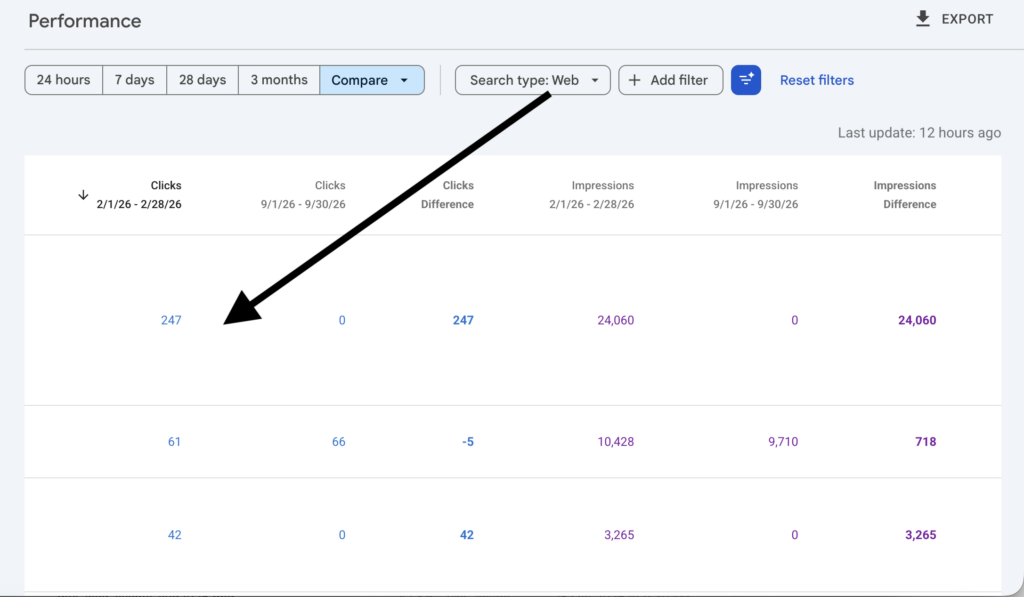
- Open Google Search Console, go to Performance, then Pages. Set the date range to the last three months. Look at the top page and work out what share it is of your total clicks.
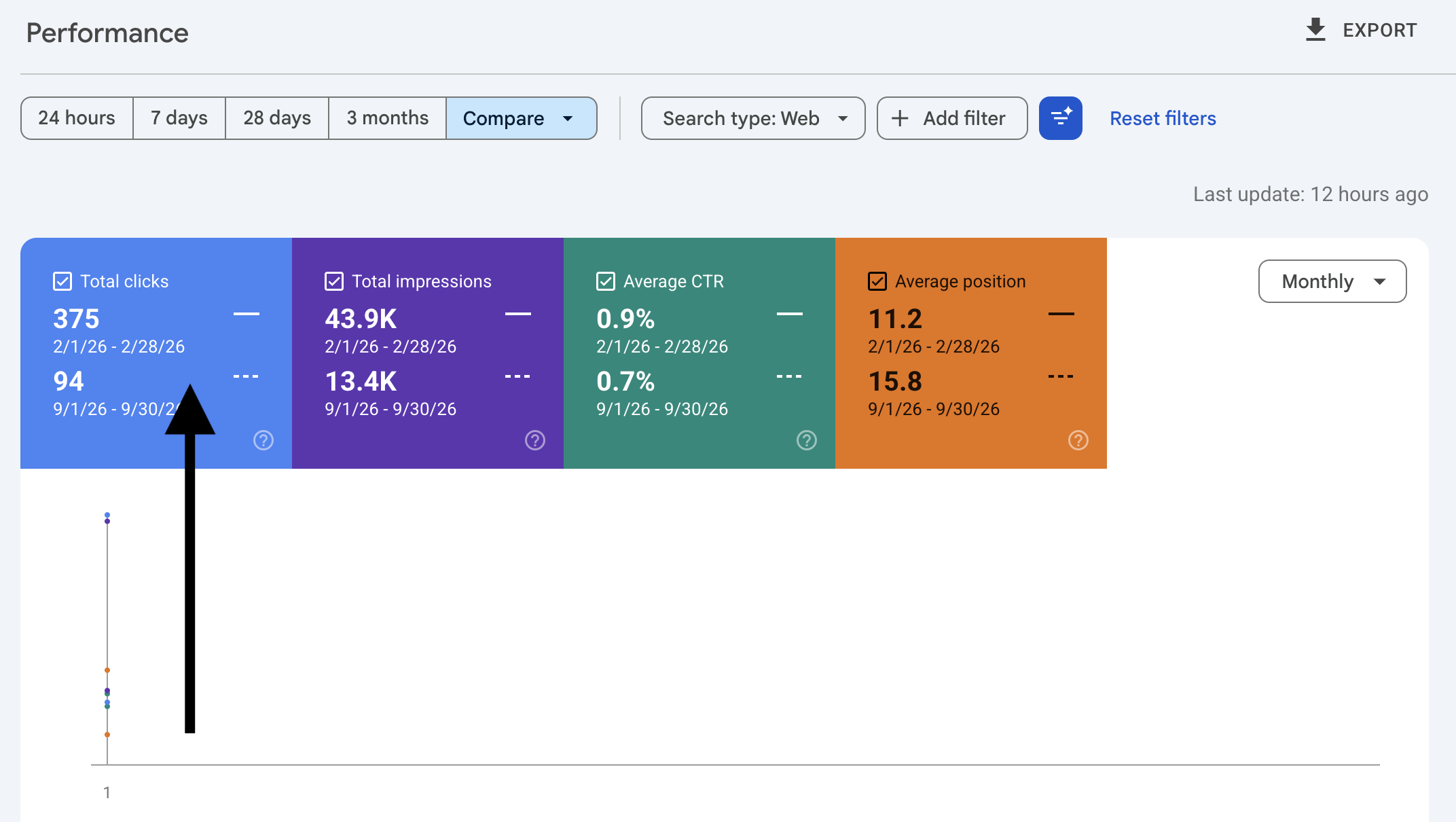
Our rough rule from doing this across accounts: if your top page is more than 30% of your organic clicks, treat it as a flag. Above 50%, treat it as urgent. There’s no official benchmark for this, so it’s a judgement call, but the number is worth knowing either way. Most site owners have never calculated it.
- Check the trend, not just the total. Compare the last three months against the same three months last year, filtered to that one page. A page that dominates your traffic and is declining is a different situation than one that dominates and is stable.
- Check that the page actually loads. Sounds obvious. It’s the thing we found on the first site. Click the URL in Search Console and confirm it returns a 200, not a 404 or a redirect chain. Do this after every site change, every migration, every theme update.
What to do about it
This is the part most advice skips. “Diversify your traffic” is not an instruction. Here’s the actual sequence.
Step 1: Mine the page’s own queries for a free content gap analysis
Your best-performing page is the most valuable keyword research document you own, and it costs nothing.
In Search Console, go to Performance, then Pages, click your top page, and switch to the Queries tab. Set the date range to 12 months and export the whole list.
What you’re looking at is every search Google has decided that one page is relevant for. On the pages we’ve looked at, that’s been anywhere from a few hundred to several thousand distinct queries. One page cannot possibly be the best answer for all of them. The distance between what it ranks for and what it actually answers well is your content gap analysis, already done for you.
Sort that list and look for three things:
- Queries with impressions but almost no clicks. Google is showing your page for these and people aren’t clicking. Usually that means the page is adjacent to what they wanted, not an answer to it. These are your highest-priority new posts.
- Queries ranking just below the top of page one. You’re close. A dedicated page on that specific question will usually beat a passing mention inside a larger article.
- Question queries. “How”, “why”, “what is”, “vs”, “best”. Each one of these is a post.
This beats any content gap analysis you can run in a third-party tool, because it isn’t an estimate. It’s Google telling you, in its own numbers, exactly which searches it already associates with your site.
Step 2: Run real keyword research on what you found
Don’t just publish the query list. Take the themes out of it and put them through a keyword tool to get actual volumes, difficulty and related terms. Plenty of the queries will have near-zero volume and aren’t worth a page. The rest will cluster into a handful of genuine topics you can build around.
Group them by intent, not by wording. A question asked three different ways is one page, not three. Splitting them is how you create keyword cannibalization, where two of your own pages compete for the same search and Google ranks neither of them properly. It’s the opposite problem, and just as annoying to fix.
Step 3: Build a topic cluster around the page that’s already working
You now have a strong page and a list of validated subtopics. Build the subtopics out as individual posts, and link them to each other and back to the main page.
That structure is a topic cluster, and it does two things at once. It gives you pages that can rank on their own, so your traffic stops depending on one URL. And it strengthens the main page, because a well-linked cluster of related content signals to Google that you cover the topic properly, not accidentally.
A reasonable target is three to six supporting posts per strong page, published over a couple of months rather than all at once.
Step 4: Make the strong page stronger, not thinner
A common mistake here is to strip content out of the winning page and move it into the new posts. Don’t. You’ll cannibalise your own best asset.
Instead:
- Extend it. If it’s ranking for hundreds of queries, there are gaps in it. The query export tells you exactly which ones.
- Keep it current. Update statistics, add a last-updated date, refresh anything that’s gone stale. This is how you avoid content decay. Pages that stop being maintained slide quietly down the results over a year or two, and most owners never connect the decline to the neglect.
Use internal linking to pass authority to your weaker pages
This is the part most people miss. Your top page is almost certainly your most-linked, most-authoritative page. Internal linking from it passes that authority to the pages that need it.
Add contextual links from inside the body content, pointing to the new cluster posts and to your money pages. Don’t rely on a “related posts” widget in the footer, which carries far less weight. Use anchor text that describes the destination rather than “click here”, and keep it to the links that genuinely help the reader, usually three to eight per post.
It’s worth sitting with the logic. If one page holds most of your site’s authority and links to nothing, that authority is stuck. Internal linking is how you convert a single lucky page into a site that ranks.
Step 5: Put it on a schedule
The reason both of those sites ended up where they did isn’t that anyone made a bad decision. It’s that nobody was looking.
Monthly, check three things: your top page’s share of traffic, whether that share is going up or down, and whether anything in the top ten pages has dropped sharply. It’s a ten-minute check. On the first site, it would have caught a broken URL long before it took most of the business’s organic traffic with it.
What we’re doing with that page now
The redirect was the emergency. The strategy is what comes after it.
That one page ranks for a large set of queries, and we’ve exported every one of them. That export is the plan:
- Expand the page itself. The queries it ranks for but answers only in passing show exactly where the content is thin. That’s where it gets extended.
- Build new posts from the gaps. The queries pulling impressions without clicks become their own pages, once we’ve confirmed they have real volume behind them.
- Optimise what already exists. Several of those queries map to pages already on the site that aren’t ranking well. Those get rewritten around the terms we now know people are actually searching for.
- Link it all together. The strong page becomes the hub, passing its authority to everything built around it.
The reason this approach works is the source of the data. It isn’t a projection from a keyword tool. It’s Google’s own record of which searches it already associates with your site. Nothing you can buy is more accurate than your own Search Console export.
ynd in six months you’ll have a site where no single page can take you down.
The short version
A page carrying most of your traffic is not an achievement to protect. It’s a research document telling you which posts to write next, and a link hub you’re not using.
Treat it that way, and in six months you’ll have a site where no single page can take you down.
Frequently asked questions